The Invisible Architecture Of Cinematic Pacing
Film editing is often described as the “final rewrite” of a movie. While the script provides the foundation and the cinematography captures the raw visual language, it is in the edit suite where a film truly finds its rhythm, pace, and emotional resonance. Whether it is a fast-paced action blockbuster or a contemplative documentary, the art of assembling footage determines how an audience perceives the story. Understanding the intricacies of film editing is essential for anyone looking to master the craft of visual storytelling.
The Evolution of Film Editing
From Physical Splice to Digital Precision
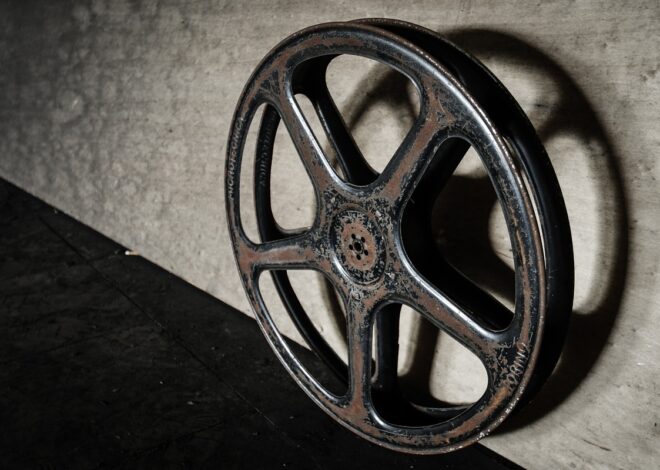
In the early days of cinema, editing was a tactile, physical process. Editors used razor blades and cement to splice strips of celluloid film together. This was a slow, meticulous craft that left little room for error. Today, the landscape has shifted to Non-Linear Editing (NLE) software, allowing for infinite experimentation.
- Efficiency: Digital platforms like Adobe Premiere Pro, DaVinci Resolve, and Avid Media Composer allow editors to rearrange scenes instantly.
- Non-destructive editing: You can trim, cut, and move clips without altering the original source files, encouraging creative risks.
- Advanced VFX integration: Modern software allows for color grading, sound design, and visual effects to be polished alongside the edit.
Key Historical Milestones
The history of editing is defined by pioneers like Sergei Eisenstein, who popularized montage theory—the idea that the collision of two unrelated shots can create a new meaning for the viewer. This foundational concept remains the bedrock of how we structure sequences today.
The Core Principles of Effective Editing
Pacing and Rhythm
Pacing is the heartbeat of a film. A scene that drags can bore the audience, while one that moves too quickly can cause confusion. An editor must decide when to hold on a shot to let an emotion sink in and when to cut to maintain momentum.
- The Rule of Three: Often, cutting between a wide shot, a medium shot, and a close-up helps maintain visual interest.
- Match-on-Action: Cutting during a movement (like someone walking through a door) makes the transition invisible and fluid.
Emotional Continuity
Technical continuity (ensuring a character’s drink stays full) is important, but emotional continuity is vital. If an actor’s performance feels more authentic in a take that doesn’t perfectly match the previous frame, a skilled editor will prioritize the emotion over the technical error.
Advanced Editing Techniques for Storytellers
J-Cuts and L-Cuts
These techniques are the bread and butter of professional dialogue editing. They create a seamless flow between scenes by overlapping audio and video.
- J-Cut: The audio from the upcoming scene starts before the video cuts to it, building anticipation.
- L-Cut: The video cuts to a new scene, but the audio from the previous scene continues to play, smoothing the transition.
Jump Cuts and Montage
While traditional Hollywood editing often strives to hide the “cut,” modern filmmakers sometimes embrace the jump cut to signal the passage of time or to create a feeling of urgency and anxiety. Practical example: The classic Godard style jump cuts in Breathless revolutionized the medium by making the edit intentionally visible.
Collaborating with Sound and Color
The Importance of Sound Design
It is often said that sound accounts for 50% of the film experience. An editor must work closely with sound designers to ensure the foley, dialogue, and musical score elevate the visuals.
Actionable Tip: Always use a “temp track” for music while editing to set the rhythm of the cut, then replace it with a professional score during the final mix to add depth.
Color Grading as a Narrative Tool
Color grading isn’t just about making things look “pretty.” It is about setting the tone. Desaturated, blue-toned images can evoke melancholy, while warm, golden hues can make a setting feel nostalgic or romantic. Editing and color work hand-in-hand to define the film’s atmosphere.
Workflow and Organization for Editors
The Importance of Media Management
A disorganized project is the quickest way to kill your creative momentum. Before you make your first cut, ensure you have a standard naming convention for all assets.
- Folder Structure: Create separate folders for raw footage, music, sound effects, graphics, and exports.
- Proxy Files: If you are working with 4K or 6K footage, use proxy files to ensure your playback remains smooth during the editing process.
Reviewing and Refining
The “First Cut” is rarely the final version. Professional editors often step away for 24 hours between versions to gain a fresh perspective. Gathering feedback from peers or test audiences is critical to identifying pacing issues that you might have become “blind” to during the long editing hours.
Conclusion
Film editing is a profound blend of technical proficiency and artistic intuition. By mastering the fundamentals of pacing, embracing advanced transitions like J-Cuts, and maintaining an organized workflow, you can elevate your raw footage into a compelling narrative. Remember that the best editing is often the kind that the audience doesn’t notice; it should pull them into the story so completely that they forget they are watching a curated sequence of images. Whether you are a beginner or an aspiring professional, the key to great editing lies in constant practice, honest self-critique, and an unwavering commitment to the story you are trying to tell.